


 Couldn't help kept looking at the big eyes and long eye lashes of this baby.
I was finding a chance to shoot an innocent look of him. While he was staring at the food, I quickly focused on him and pressed the shutter. Where was the best spot to focus on? The eyes, obviously. They were just too big~ =D
The room lighting was low, so I pumped the ISO up to 800, and kept the aperture of the lens wide open.
I was lucky to get this shot! Babies are very active and they will not sit still, especially baby boy...
I adjusted the color level of the original photo (on the right) in photoshop. The original photo was yellowish due to the lighting of the room.
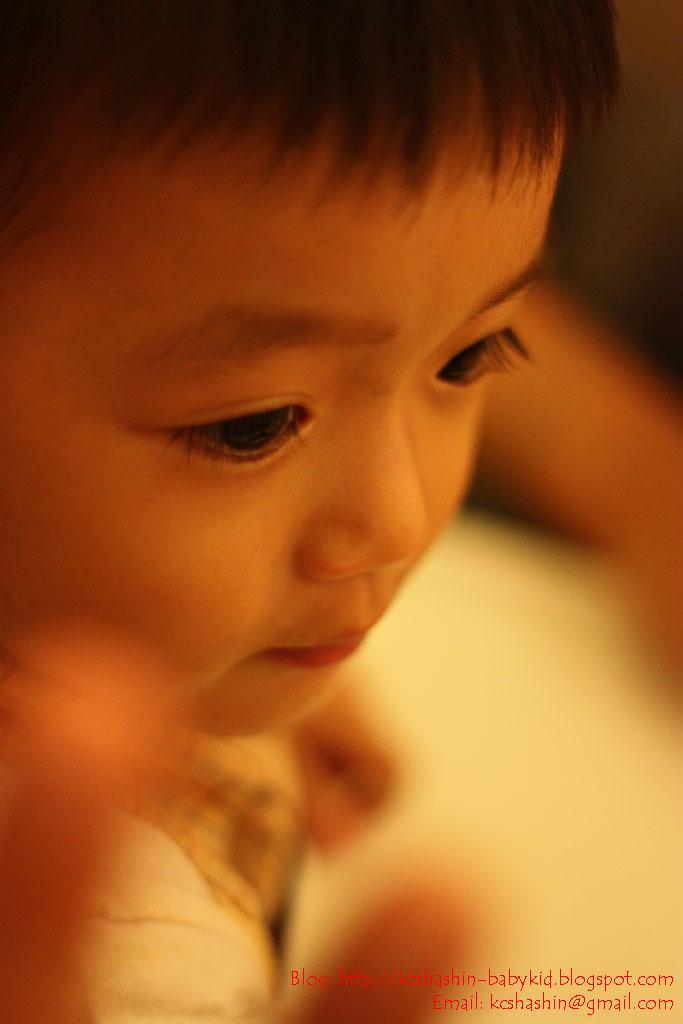
I like this photo a lot and decided to set it as the background of this blog.
To make the photo blends into the white background, I used the 'Gradient' function in photoshop. It helped create a soft look on the photos.
This is how I do it. First, open up the photo in photoshop, the photo will show up as a background layer. Select the whole image and copy into a new sheet. The reason being photoshop will not let you modify anything that is classified under background.
In the new sheet, the image will show up as 'layer 1'. Add a layer mask to this image (layer 1). Next, select 'Gradient' tool from the toolbar, and start playing with the tool until you get a satisfying result. Below is the after processing photo.

Album: http://picasaweb.google.com/kcshashin/BabyAndKidShotsDec2008


 Posts
Posts


