Share |
Showing posts with label background. Show all posts

Saturday, May 8, 2010

Background Color

My mission was to take the photos of the baby. I was neither thinking much on how to position the baby, nor the kind of background that best bring out the baby.

I was tired of squating down to shoot the baby. Since the light from the windows was shinning at the sofa (gave me fast enough shutter speed), and I would be able to sit down on the floor to shoot the baby, I get the baby up to the sofa. The baby can roll around the sofa comfortably without worrying knocking his head on the floor. Of course, I am guarding the edge of the sofa to prevent the baby from falling down straight to the floor.

After shooting and checking on the photos, I noticed that the sofa background color was pretty good in bringing out the color of the baby's skin. He was fair, and the background was dark. The contrast made the baby outstanding. Hmm... the baby looked good with dark brown background.

I was shooting at f1.8 at 50mm. It helped to create the depth of field isolating the baby, emphasizing the baby while de-emphasizing the foreground (seat cushion in front of the baby) and background (back cushion behind the baby).


Album: http://picasaweb.google.com/kcshashin/BabyShots25Dec2008

Saturday, April 24, 2010

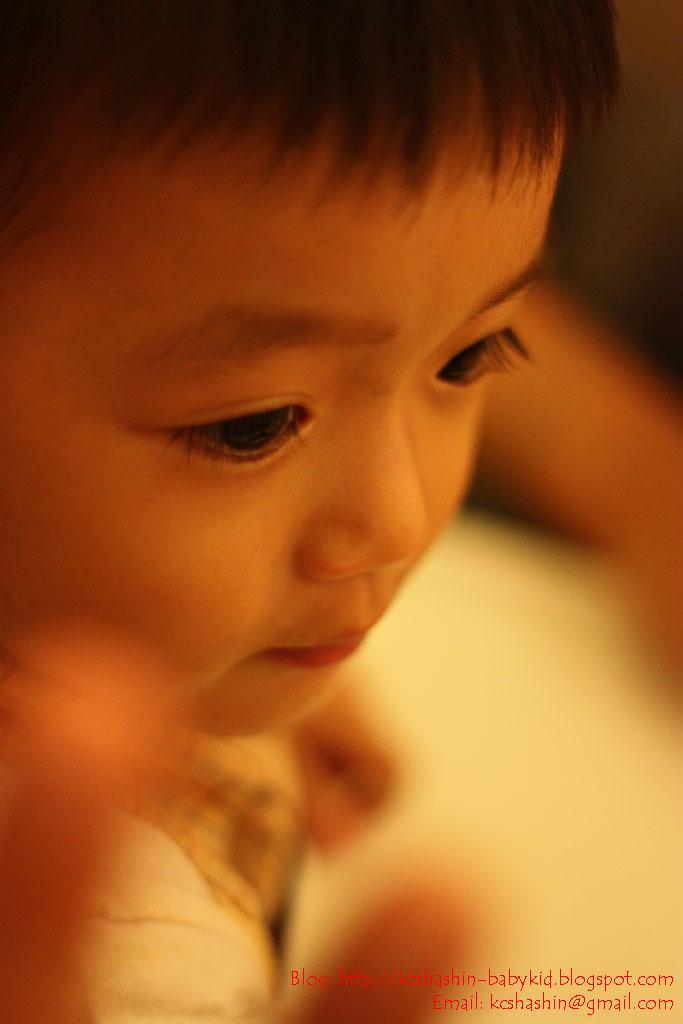
The big eyes

Couldn't help kept looking at the big eyes and long eye lashes of this baby.

I was finding a chance to shoot an innocent look of him. While he was staring at the food, I quickly focused on him and pressed the shutter. Where was the best spot to focus on? The eyes, obviously. They were just too big~ =D

The room lighting was low, so I pumped the ISO up to 800, and kept the aperture of the lens wide open.

I was lucky to get this shot! Babies are very active and they will not sit still, especially baby boy...

I adjusted the color level of the original photo (on the right) in photoshop. The original photo was yellowish due to the lighting of the room.


I like this photo a lot and decided to set it as the background of this blog.

To make the photo blends into the white background, I used the 'Gradient' function in photoshop. It helped create a soft look on the photos.

This is how I do it. First, open up the photo in photoshop, the photo will show up as a background layer. Select the whole image and copy into a new sheet. The reason being photoshop will not let you modify anything that is classified under background.

In the new sheet, the image will show up as 'layer 1'. Add a layer mask to this image (layer 1). Next, select 'Gradient' tool from the toolbar, and start playing with the tool until you get a satisfying result. Below is the after processing photo.

Album: http://picasaweb.google.com/kcshashin/BabyAndKidShotsDec2008